 Kastoo
Availability Available
You can already install it on Android TV and Google TV with the Downloader app, following this guide. We are getting ready to publish it on Google Play so that it updates automatically.
Video: install it step by step
What you need
- Android TV, Google TV or a TV box with Android 7 or later (also Sony, Philips, TCL or Xiaomi TVs with Android TV).
- An internet connection, by cable or Wi-Fi.
- Your list from a provider: an M3U URL or an Xtream Codes account.
How to get started
- Install KastooWith the Downloader app and the link in the guide. Android will ask you to allow apps from this source: this is normal outside Google Play.
- Open the appYou will see a QR code with your device's MAC and key.
- Add your list from your phoneScan the QR code and type the list on your phone. The TV box receives it by itself.
What you can do
Made for the remote
Arrow keys, OK button and shortcuts with the number keys and the channel buttons.
Grid guide
The full schedule and the previous channel at the press of a button.
Movies and series
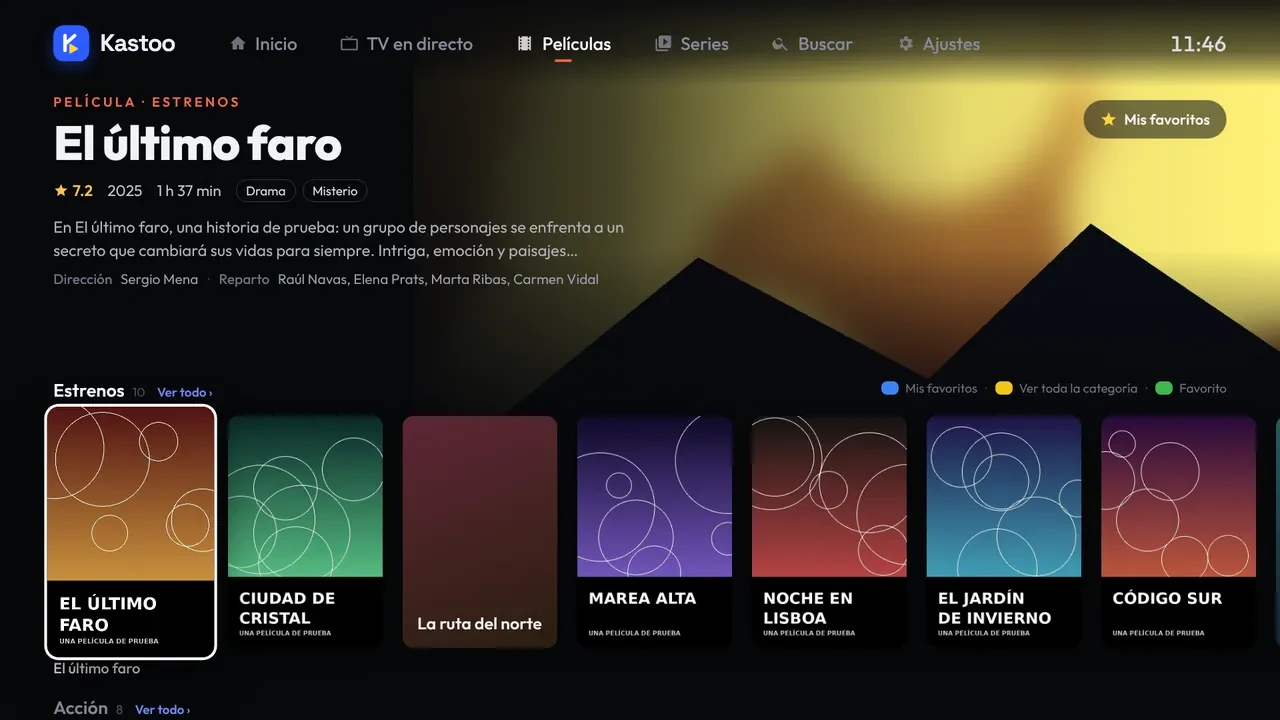
Cover art, synopsis and cast, with “Continue watching”.
Profiles and parental control
A profile for each person and content protected with a PIN.
Audio and subtitles
Tracks, subtitles, 13 picture formats and a sleep timer.
Cloud backup
Your favourites and what you have watched, also on your phone.
Price
Free for 15 days with all features. After that, €4.00 for 1 year or €10.00 for 3 years, as a one-off payment and for up to 3 devices.
Frequently asked questions
Does it work on my TV box?
Yes, if it has Android 7 or later. It works both on TV boxes and on TVs with Android TV or Google TV.
Why is it not on Google Play?
We are finishing the publication. In the meantime it is installed with Downloader, as the guide explains; once it is on Google Play it will update automatically.
Can I use the same licence on my phone?
Yes. Each licence covers 3 devices.
Does Kastoo come with channels?
No. Kastoo is just a player: you need a list from a provider and the right to watch its content.
What is the difference between Android TV and Google TV?
Google TV is the newer version of Android TV, with a different home screen. Kastoo works the same on both.
Can I use it with the TV box remote?
Yes. Everything works with the arrows and the centre button on the remote: no mouse or keyboard needed, and you add your list from your phone.
Is it legal to use an IPTV app on Android TV?
Yes: an IPTV player is a program like any other. What matters is the content: only play lists from services you have the right to watch.
Guides for this device
- How to install Kastoo on Android TV and Google TV
- How to add an M3U list or an Xtream Codes account
- Remote buttons and keyboard shortcuts in Kastoo
- A channel won't play, goes black or keeps cutting out
From the blog
- Kastoo or TiviMate: differences, price and which suits you
- Best IPTV players for Android TV and Google TV in 2026
- The best TV boxes and streaming devices for IPTV in 2026
- Android TV vs Google TV: the differences and which to choose
- Fire TV with Vega OS: which models no longer let you sideload apps