 Kastoo
Availability Coming soon
We are getting ready to publish it on the Samsung app store. We will announce it here as soon as it is available. In the meantime, you can try it on Android or on your computer: the same licence will then work on your Samsung.
What you need
- A Samsung TV with Tizen, generally 2018 models onwards.
- An internet connection, by cable or Wi-Fi.
- Your list from a provider: an M3U URL or an Xtream Codes account.
How to get started
- Install Kastoo from the Samsung storeIn the TV's Home menu, go to Apps, search for “Kastoo” and install it.
- Open the appYou will see a QR code with your TV's MAC and key.
- Add your list from your phoneScan the QR code and type the list on your phone. The TV receives it by itself.
What you can do
Made for the remote
Everything works with the arrow keys and the OK button, with no typing.
Grid guide
The schedule for every channel and a preview while you browse.
Movies and series
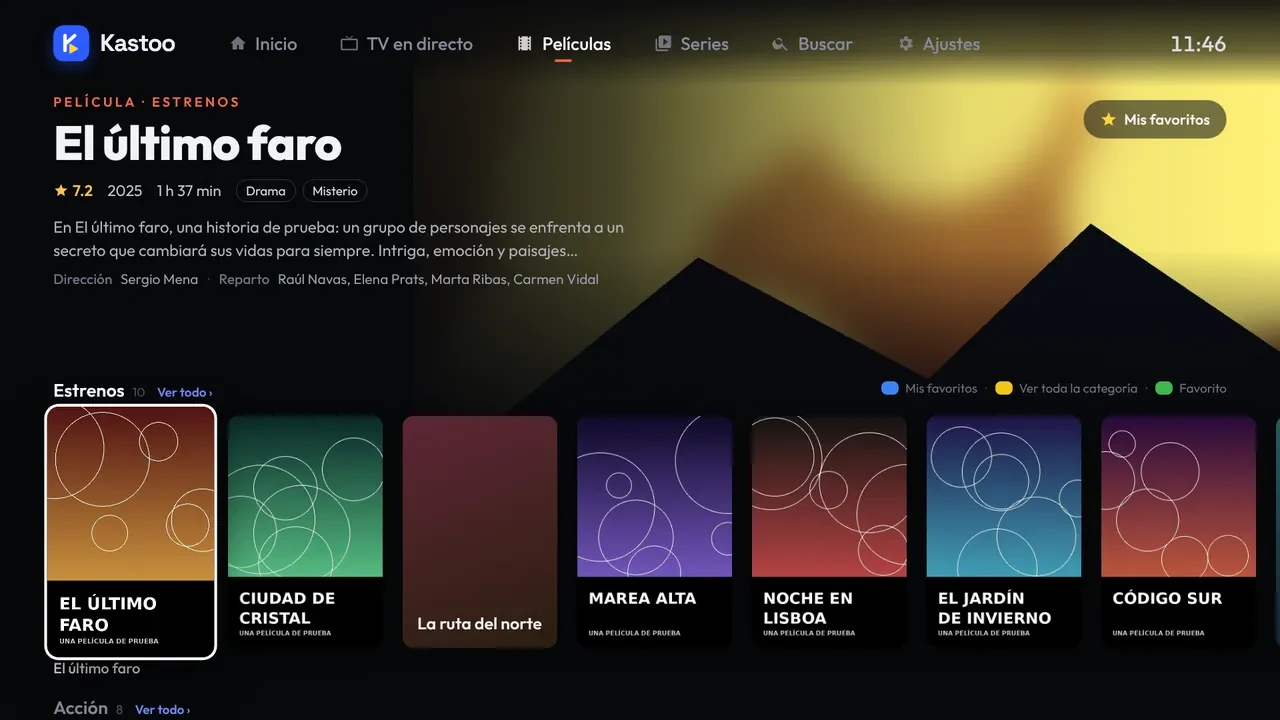
Cover art, synopsis, “Continue watching” and automatic next episode.
Profiles and parental control
Favourites and history for each person and a PIN for the categories you choose.
Audio and subtitles
Choose the audio track, subtitles and picture format.
Cloud backup
What you have watched and your favourites, on all your devices.
Price
Free for 15 days with all features. After that, €4.00 for 1 year or €10.00 for 3 years, as a one-off payment and for up to 3 devices.
Frequently asked questions
Which Samsung TVs does it work on?
Those running Tizen, which are generally 2018 models onwards.
Do I have to type the list with the remote?
No. You scan the QR code shown on the TV and type the list on your phone.
Does the licence also work on my phone?
Yes. Each licence covers 3 devices: for example, the living room TV, the bedroom TV and your phone.
Does Kastoo come with channels?
No. Kastoo is just a player: you need a list from a provider and the right to watch its content.
Can I use Kastoo on my Samsung now?
Yes: plug a Google TV or Android TV device into the HDMI port and install Kastoo there. When it arrives in the Samsung store, the same licence will work on the TV.
How do I find out what year my Samsung is?
Go to Settings → Support → About This TV to see the model. Samsung smart TVs have used Tizen since 2015; Kastoo will work on 2018 models onwards.
Is it legal to use an IPTV app on a Samsung TV?
Yes: an IPTV player is a program like any other. What matters is the content: only play lists from services you have the right to watch.
Guides for this device
- How to get started with Kastoo in 3 steps
- How to add an M3U list or an Xtream Codes account
- Use the same licence on several devices
- How to view the programme guide (EPG) and fix the time
From the blog
- Best IPTV apps for Samsung Smart TV (Tizen) in 2026
- How to watch IPTV on a Samsung Smart TV (Tizen), step by step