 Kastoo
Availability Coming soon
Kastoo for Apple TV is coming very soon to the App Store. We will announce it here as soon as it is published. In the meantime, you can use it on iPhone and iPad: the same licence will then work on your Apple TV.
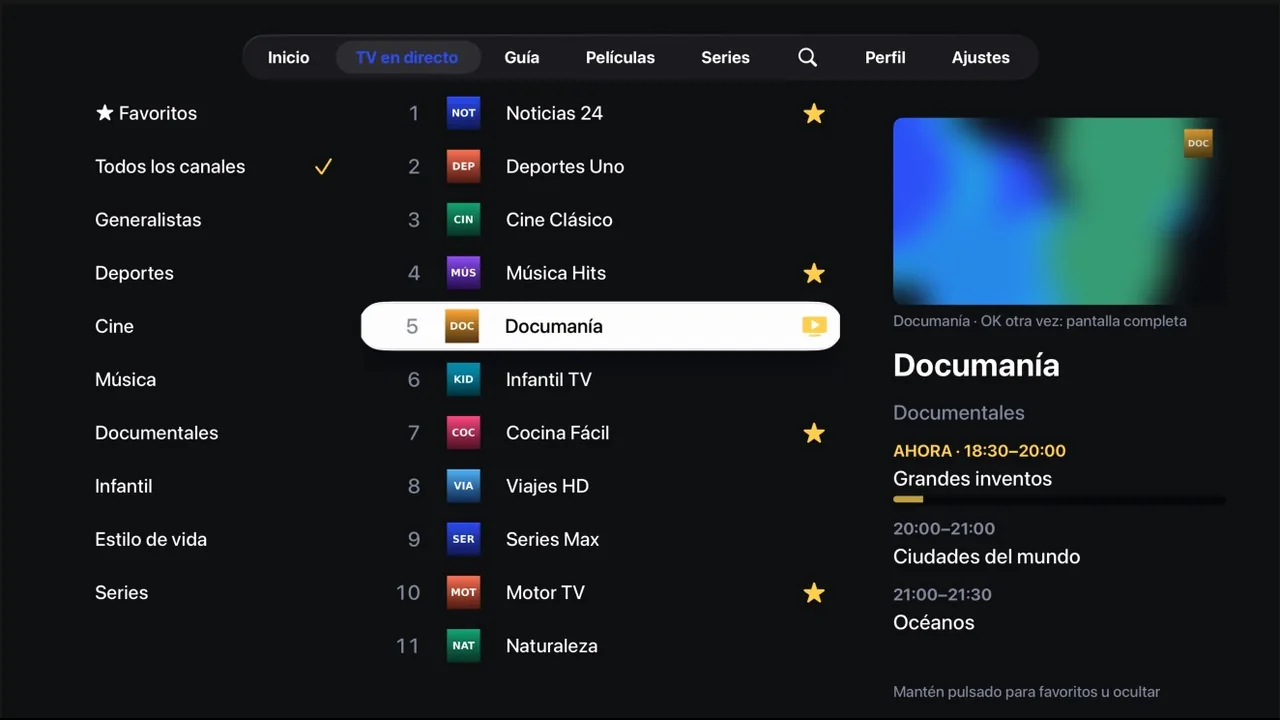
What you need
- An Apple TV HD or Apple TV 4K with tvOS 17 or later.
- An internet connection by cable or Wi-Fi.
- Your list from a provider: an M3U URL or an Xtream Codes account.
How to get started
- Install Kastoo from the App StoreOn your Apple TV, open the App Store, search for “Kastoo” and install it.
- Add your listType it with the remote or, more easily, from your phone in My Kastoo with the MAC and key shown on screen.
- Enjoy!Try it free for 15 days with all features.
What you can do
Live preview
Pick a channel and it plays small next to the guide while you keep browsing; press again to watch it full screen.
Multiview
Up to 4 channels at once on the same screen, if your account allows several connections.
Two players
Apple’s player and one that handles almost any format: if a channel does not work with one, Kastoo tries the other.
On the Home Screen
With Kastoo in the top row, you see your favourite channels and what you are halfway through without opening the app.
Siri Remote
“What did they say?” jumps back a few seconds with subtitles, and the controls appear in Control Centre.
Profiles and parental control
Each person with their own favourites, and a PIN for the categories you choose.
Price
Free for 15 days with all features. After that, €4.00 for 1 year or €10.00 for 3 years, as a one-off payment and for up to 3 devices.
Frequently asked questions
Which Apple TV does it work on?
On Apple TV HD and every Apple TV 4K with tvOS 17 or later.
Do I have to type the list with the remote?
No need: you can add it from your phone in My Kastoo with the MAC and key shown on the Apple TV, and it arrives on its own.
Does my existing licence work?
Yes. In Settings → Licence, enter your licence code. Each licence covers 3 devices.
Does it play 4K?
If your list streams in 4K and your Apple TV and TV support it, yes. If “Match Frame Rate” is on in your Apple TV settings, Kastoo switches the TV to the channel’s frame rate (25 or 50 frames per second) for smoother motion.
Does Kastoo include channels?
No. Kastoo is just a player: you need a list from a provider and the right to watch its content.
Guides for this device
- How to get started with Kastoo in 3 steps
- How to add an M3U list or an Xtream Codes account
- Use the same licence on several devices
- Profiles and parental control with PIN