 Kastoo
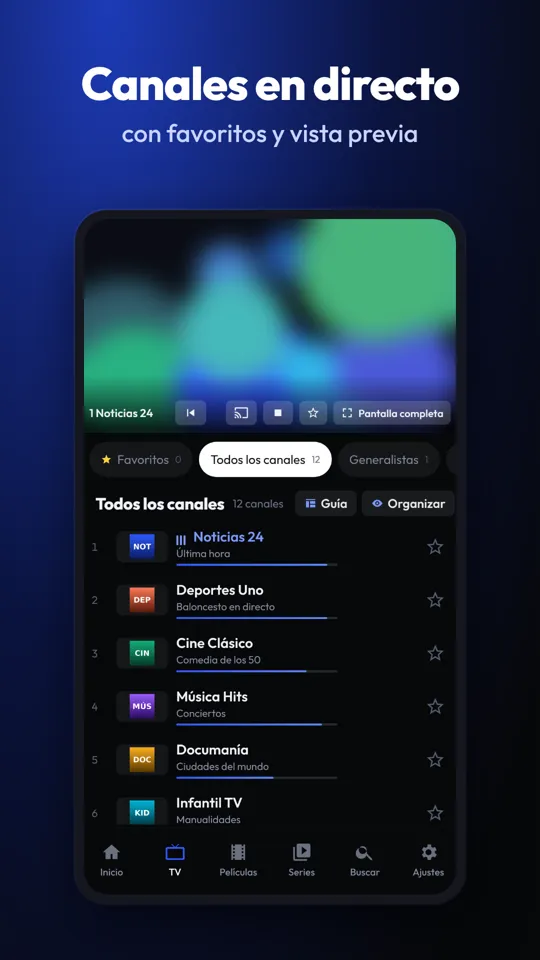
Android Auto doesn’t let you watch video on the car’s screen while you drive, but you can listen to your channels and stations through a compatible audio app. With Kastoo on your phone, your favourites appear in Android Auto ready to play.
What you can and can’t do
| On Android Auto | |
|---|---|
| Listen to radio and TV channels | Yes |
| Favourites, recents and voice search | Yes |
| Watch video on the car’s screen | No: Android Auto only allows audio in this type of app |
It’s a safety measure: while you’re driving, the car’s screen only shows simple controls. The sound of a news channel, radio programmes or music is what makes sense to take with you in the car.
What you need
- An Android phone with Android Auto and a compatible car or display.
- An IPTV player that works as an audio app in Android Auto, such as Kastoo.
- Your list already added on your phone and enough mobile data.
How to do it with Kastoo
- Install Kastoo on your phoneFrom the Android page, and add your list as usual.
- Mark your favouritesThat way they’re one tap away in the car, with no searching while you drive.
- Connect your phone to the carWith a cable or wirelessly, however you normally use Android Auto.
- Open Kastoo from the audio appsChoose a favourite or a recent channel, or ask for it by voice.
If Kastoo doesn’t appear in Android Auto
By default, Android Auto only shows apps installed from Google Play. While Kastoo is installed from our website, you need to allow unknown sources in Android Auto:
- Open the Android Auto settings on your phoneFrom your phone’s settings or from the Android Auto app itself.
- Turn on developer modeTap “Version” at the bottom of the settings 10 times in a row.
- Go to developer settingsFrom the three-dot menu at the top right.
- Turn on “Unknown sources”Accept the warning, then disconnect your phone from the car and connect it again.
Mobile data: how much it uses
Audio uses far less data than video, but most TV channels send the video even if you only listen to the sound. As a rough guide, an HD TV channel can use up to about 3 GB per hour; an internet radio station, around 50–100 MB per hour. For long journeys, it’s best to have a plan with plenty of data or to stick to radio stations.
Frequently asked questions
Is there any way to watch video on Android Auto?
Some recent cars allow video in Android Auto only while parked. While you’re driving, no: it’s a distraction at the wheel. Kastoo only plays the sound.
Does it work with CarPlay?
For now, Kastoo’s car feature is only available on Android Auto.
Do I need to pay extra?
No. It comes included in Kastoo for Android and uses the same licence.
Free for 15 days with all features, no card needed. One licence covers 3 devices.
Kastoo is just a player: it does not sell, host or include lists, channels, movies or subscriptions. The screenshots use a demo list with openly licensed content.