 Kastoo
An M3U list is a text file with the addresses of your provider’s channels. To watch it, you just paste its URL into an IPTV player. Here’s how to do it on each device and what the most common errors mean.
What exactly is an M3U list?
It is a list of links, one per channel, with each channel’s name, logo and category. The player reads it and organises it so you can browse the channels just like on a normal TV. Your provider gives it to you in one of these forms:
| What your provider gives you | What it looks like | What it includes |
|---|---|---|
| M3U or M3U8 URL | An address ending in .m3u or containing get.php?username=…&password=… | Channels; sometimes movies and series as channels |
| Xtream Codes account | Server, username and password | Channels, movies, series, guide and expiry date |
| .m3u file | A downloaded file | The same as the URL, but it doesn’t update itself |
username= and password=, you also have an Xtream Codes account: it usually works better to load it that way. We explain it in M3U or Xtream Codes.On a Smart TV (LG, Samsung, Android TV)
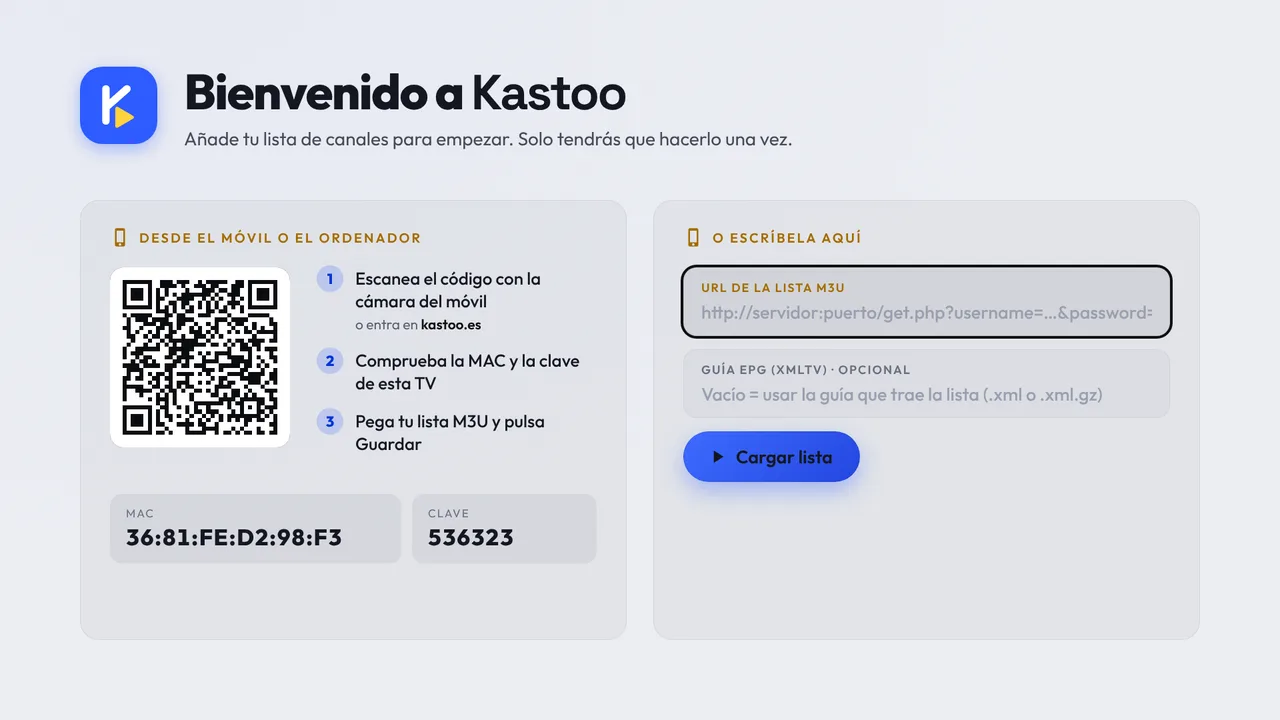
Typing the URL with the remote is slow and easy to get wrong. In Kastoo you do it from your phone (available today on Android, Android TV and iPhone; for LG and Samsung, under review):
- Open Kastoo on the TVYou’ll see a QR code with the TV’s MAC and key.
- Scan the QR codeMy Kastoo opens on your phone with your TV already identified.
- Paste the URL and press SaveOr choose Xtream Codes and type the server, username and password.
- DoneThe TV loads the list in a few seconds.
On your phone (Android or iPhone)
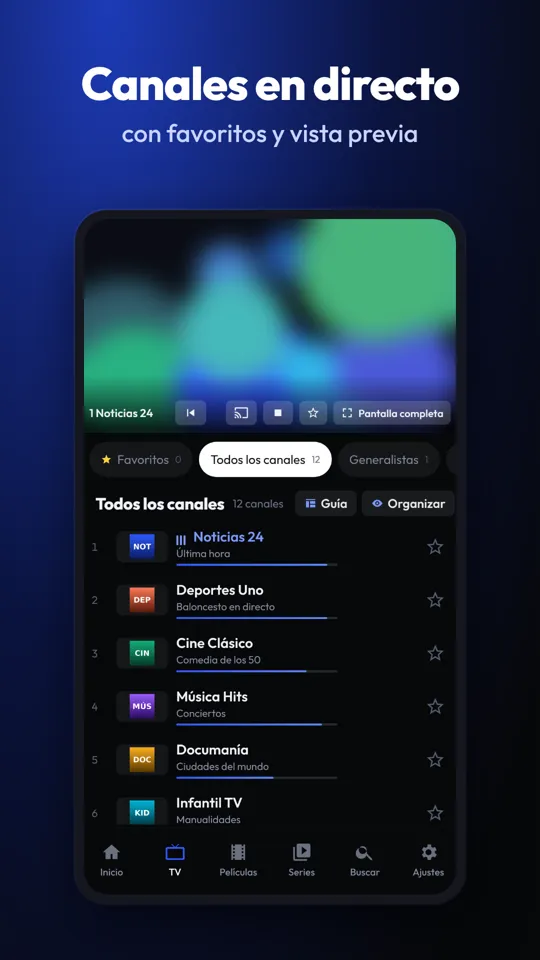
- Open the appOn the welcome screen you’ll see the “M3U list URL” field.
- Paste the URLPress and hold the field and choose Paste.
- Press “Load list”The channels appear sorted into categories.
On a computer
With the Kastoo extension for Chrome or Edge it works just like on your phone: open it, paste the URL and press “Load list”. You’ll find it in Kastoo on your computer.
In VLC
VLC can also open M3U lists, although without a guide or categories. It’s handy for checking whether a list works:
- Open VLCOn your computer or phone.
- Choose “Media → Open Network Stream”On a phone, “Network” or “Stream”.
- Paste the URL and press PlayVLC will show the channels in its playlist.
If you get an error when loading the list
| What you see | What it usually means | What to do |
|---|---|---|
| Error 401 or 403 | Wrong username or password, or the account has expired or been blocked | Check your details and the expiry date with your provider |
| Error 404 | The URL was copied wrongly or has changed | Copy it again, in full, with no spaces |
| Error 509 or “too many connections” | You are using the account on more devices than it allows | Close the app on the other device |
| It keeps loading | A very large list or a slow server | Wait a minute or try Xtream Codes |
There are more details in the list won’t load or gives an error and in what HTTP errors mean.
Frequently asked questions
Where do I get an M3U list?
Your internet TV provider gives it to you when you sign up for the service. Players like Kastoo don’t sell or include lists.
Can I load several lists?
Yes. In Kastoo you can add lists from different providers and switch between them from Home.
Does the list update itself?
If you load it by URL or with Xtream Codes, yes: the player reads it again. If you load a downloaded file, no.
What is the guide (EPG) URL?
A second address, in XMLTV format, with the TV schedule. Many lists already include it; if not, your provider can give it to you.
Free for 15 days with all features, no card needed. One licence covers 3 devices.
Kastoo is just a player: it does not sell, host or include lists, channels, movies or subscriptions. The screenshots use a demo list with openly licensed content.
Keep reading
- New TV for Christmas: 9 things to do on day one (in 15 minutes)
- What is IPTV and how does it work? Explained simply (2026)
- Your TV turns off by itself, looks dark or the remote does not work: 5 odd things, explained
- Switching the TV off with the remote does not switch it off: quick start and why restarting fixes so many problems